
By Sheraz Khan
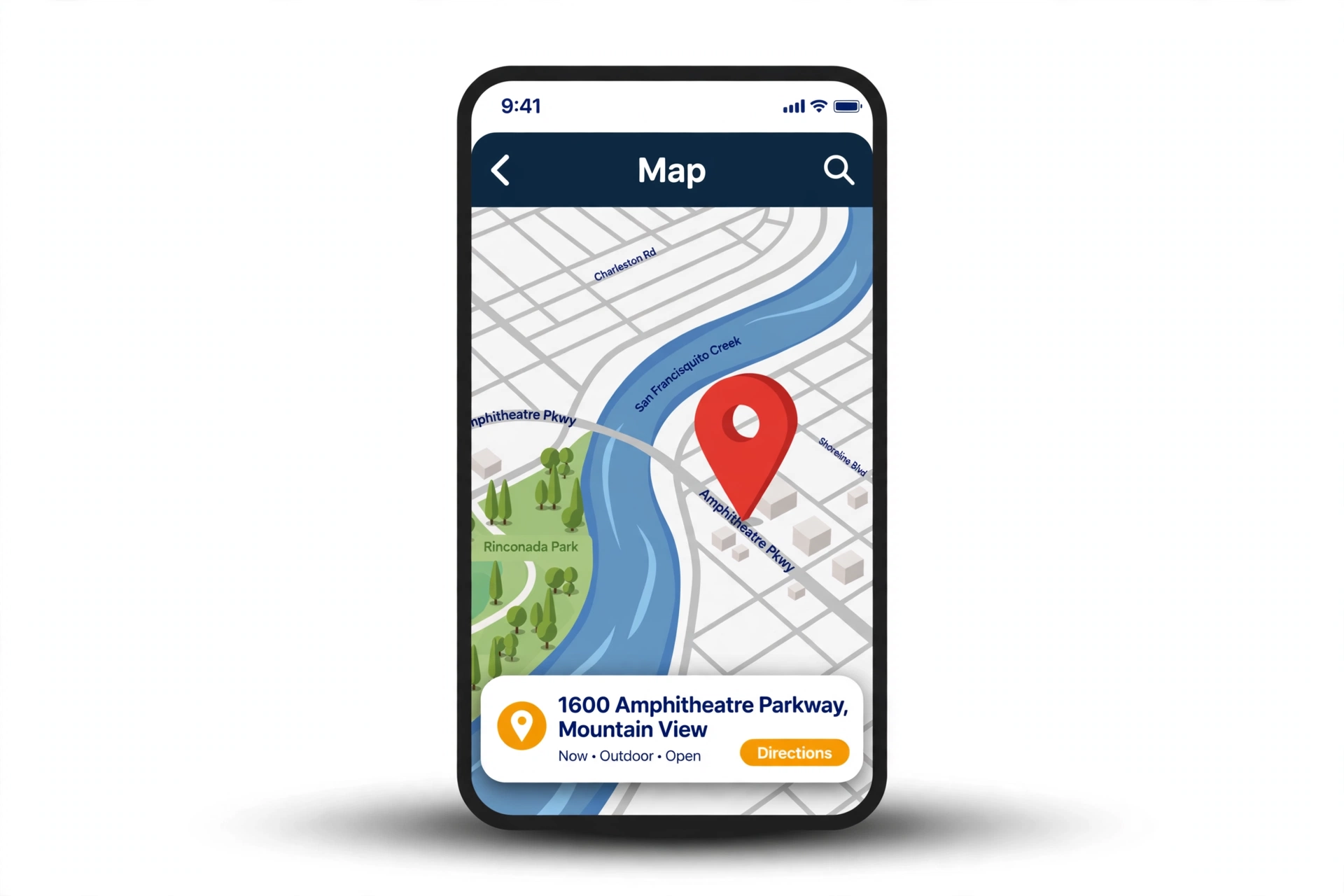
A location QR code turns a place into a square code that any phone camera can read. When someone scans it, their phone opens the map with the place already pinned, and they can get directions in one tap. It is the fastest way to send people from a poster, a card or a shop window to the exact spot you want them to reach.
This free location QR code generator makes a code in seconds. Paste the map link or the address, then download the code as a PNG or SVG. There is no sign-up, no watermark and no expiry date. The code is static, so the place stays inside the code for good, and it works for as long as the map link stays live.
Use it on an invitation so guests find the venue without typing the address, on a business card so clients reach your office, on a shop front so a passer-by finds your door, or on a sign so visitors reach a trail, a stall or a stand. One scan is all it takes to open the map.
Scan this and it opens the website link.
Example: https://example.com
Scan this and it shows your text on the phone.
Example: Welcome to our cafe
Scan this and your phone joins the WiFi, no typing the password.
Example: Network: MyHomeWiFi, Password: hello123
Scan this and your contact saves to the phone.
Example: Sarah Jones, Bloom Bakery, +1 555 123 4567, sarah@bloombakery.com
Scan this and a chat opens with your message ready.
Example: +1 555 123 4567, Message: Hi, I want to order
Scan this and it opens a new email to your address.
Example: hello@example.com, Subject: Hello
Scan this and it calls the number.
Example: +1 555 123 4567
Scan this and it opens a text message to the number.
Example: +1 555 123 4567, Message: Hi there
Scan this and it opens the place on a map.
Example: 1600 Amphitheatre Parkway, Mountain View
Scan this and it saves the event to the calendar.
Example: Birthday Party, 25 Dec 2026, 6 PM
Scan this and it opens a Bitcoin payment with the amount ready.
Example: 1A1zP1eP5QGefi2DMPTfTL5SLmv7DivfNa
Scan this and it opens the payment link.
Paste your payment link. A plain number on its own will not open inside a bank app. For payments inside a bank app, use the QR code your own bank app gives you.
Example: https://example.com/pay
Example
How to Use the Free Location QR Code Generator
Share a place in one scan. The code opens the place on a map, so people can find it and get directions.
- You are on the Location tab already. If you are not, click the Location tab at the top of the tool.
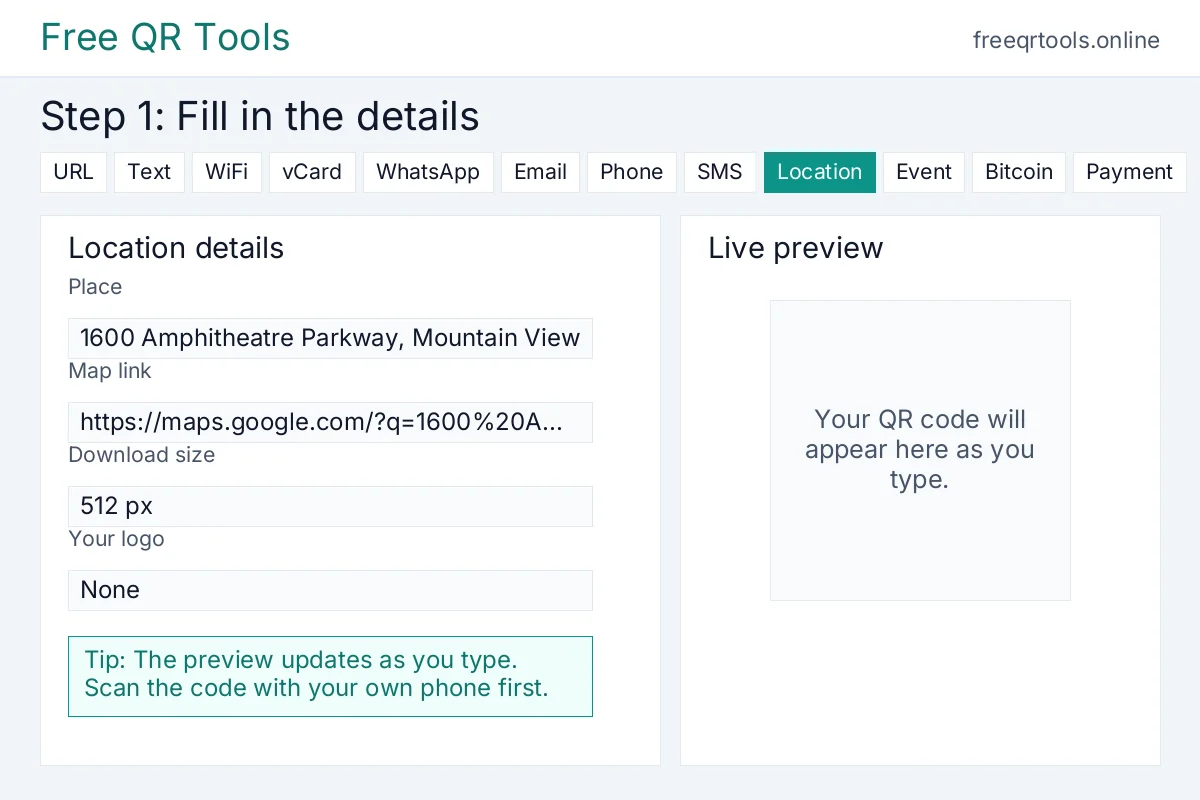
- Type or paste the map link or address for the place, for example https://maps.google.com/?q=1600%20Amphitheatre%20Parkway%2C%20Mountain%20View. You can also paste the address itself.
- Check the preview on the right. The large code updates as you type.
- Download the code. When it looks right, click Download PNG, print it, or share the link.
Worked example
Try it with these details:
- Place: 1600 Amphitheatre Parkway, Mountain View
- Map link: https://maps.google.com/?q=1600%20Amphitheatre%20Parkway%2C%20Mountain%20View
Example location QR code for 1600 Amphitheatre Parkway, Mountain View
Result: Scan the code and Google Maps opens with the pin at 1600 Amphitheatre Parkway, Mountain View, ready for directions.
How it will look:
See the steps
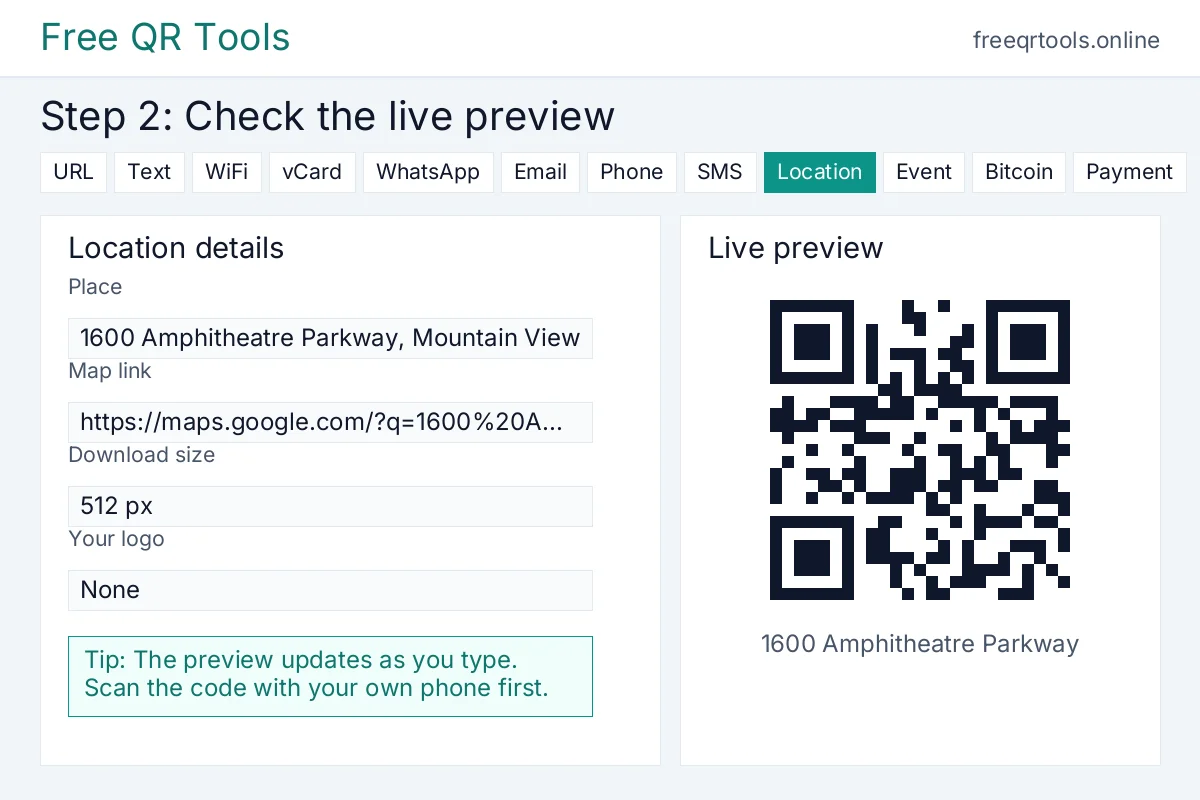
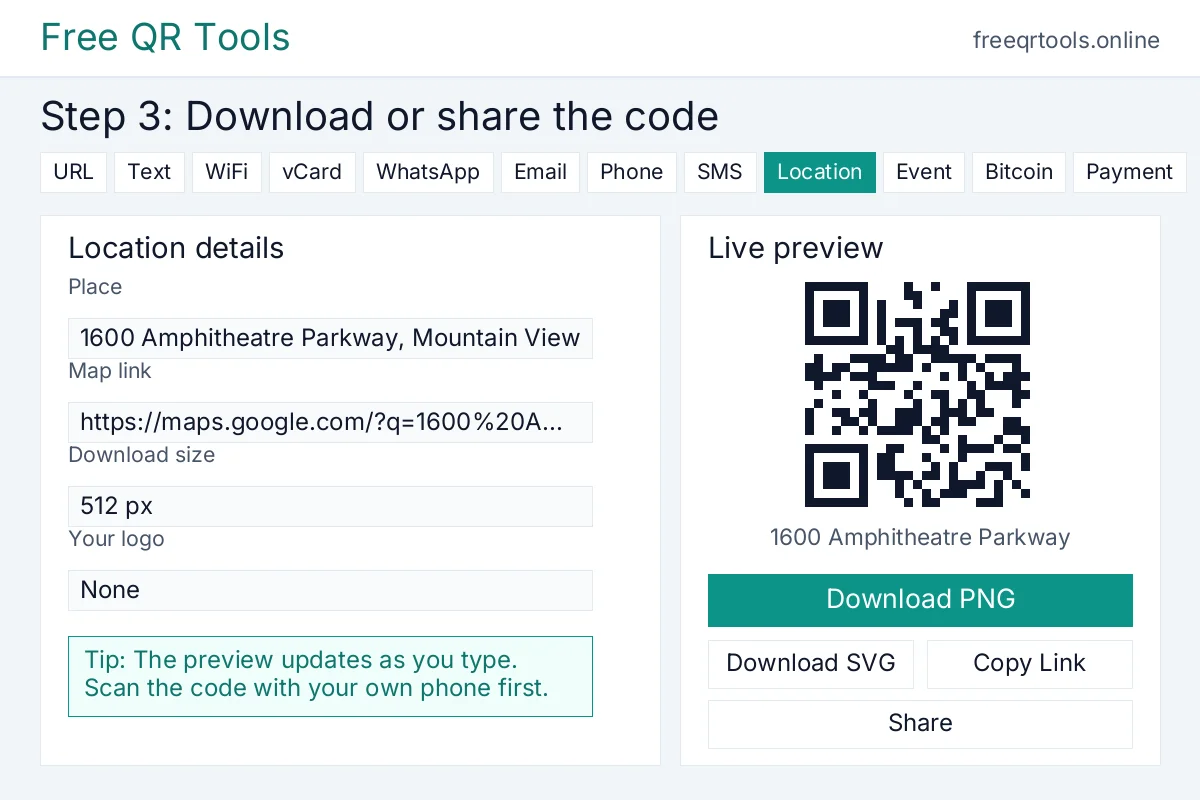
What the code holds: https://maps.google.com/?q=1600%20Amphitheatre%20Parkway%2C%20Mountain%20View
How to make a location QR code
Follow these steps to make your first code. It takes less than a minute.
- Open the tool above. The Location tab is already picked for you.
- Paste the map link in the box, for example https://maps.google.com/?q=1600%20Amphitheatre%20Parkway%2C%20Mountain%20View. You can copy the link from Google Maps by searching for the place and tapping Share.
- Check the live preview on the right. It updates by itself as you type, so you can see the code change in real time.
- Pick a download size. 512 pixels is right for most screens. Pick 1024 pixels or the SVG download for print.
- Pick an error correction level. Medium is the normal choice and works for most codes. Pick High if the code will be small or printed on rough paper.
- Add a caption below the code if you want one, such as Find us here or Scan for directions. It prints under the code in the PNG and SVG, so the message travels with the code.
- Download the code as a PNG for screens and print, or as an SVG for sharp, large prints. You can also copy the link or share the code straight from the tool.
Worked example
Here is a real example made with the tool above.
Place: 1600 Amphitheatre Parkway, Mountain View
Map link: https://maps.google.com/?q=1600%20Amphitheatre%20Parkway%2C%20Mountain%20View
Result: You get a QR code that opens Google Maps with the pin at 1600 Amphitheatre Parkway, Mountain View, and the reader can tap for directions at once.
What the code holds: https://maps.google.com/?q=1600%20Amphitheatre%20Parkway%2C%20Mountain%20View
Try it yourself. Paste the same map link and you will see the same code appear in the preview above.
Why use a location QR code?
Typing a full address by hand is slow and easy to get wrong. One wrong number or a missing postcode sends people to the wrong street. A location QR code removes that risk. The whole map link travels inside the code, so the map opens with the right pin every time.
A location QR code also makes people far more likely to find you. The step from reading to navigating is a single scan and one tap for directions, not a search for the address and a careful retype. For a shop, a venue, a clinic or a market stall, that small push turns passers-by into visitors.
A location QR code works where an address cannot be tapped. Print cannot be tapped, but it can be scanned. That is why QR codes sit on invitations, business cards, shop windows, estate boards and event signs. A printed address is dead text. A printed location QR code opens the map in one scan.
The code is free and private. This generator makes the code in your browser, so your link is never sent to our server and never stored. We do not ask for your email and we do not put a watermark on the code. The code is static, so it never expires and never stops working.
Where to use a location QR code
Put a location QR code on a wedding or party invitation so guests find the venue without typing the address. Put it on a business card so clients reach your office. Put it on a shop window so a passer-by finds your door. Put it on a market stall or a food truck so customers find where you will be today.
Estate agents can put one on a for sale board so buyers open the map for the property at once. Hotels can put one on a welcome card so guests find the parking, the beach or the restaurant. Clinics can put one on a letter so patients find the surgery. Schools can put one on a notice so parents find the hall.
Event organisers can put one on a ticket so guests find the hall, the field or the car park. Tour guides can put one on a leaflet so walkers find the start of the trail. Plumbers, builders and cleaners can put one on a van so a customer finds the yard or the depot. Wherever you print an address, a location QR code makes people far more likely to actually reach it.
For other one-scan actions, try the Google Maps QR code generator for a map link, the link QR code generator for any web page, and the event QR code generator to add an event to a calendar. Our guide on how to create a QR code for free shows the same steps for any code type.
How to print and share your location QR code
Download the code at 1024 pixels or as an SVG for print, because a bigger file stays sharp. Print it at least 2 centimetres wide for close use, like a business card, and larger for posters or signs that people scan from a distance. A code should be at least one tenth as wide as the distance people will scan it from.
Use dark code on a light background for the best contrast, and leave a quiet zone of plain space around the code, at least four modules wide on each side. Do not print a code on a busy pattern or over a photo, and do not stretch it. If the code looks squashed or faded, scanners will struggle.
Always test before you print a big run. Print one copy, open your phone camera, point it at the code and check that it opens the map with the right pin. If it opens correctly on your phone, it will open correctly on others.
Common mistakes to avoid
Do not use a link that points to the wrong place. A static code cannot be edited after you print it, so open the map link first and check that the pin sits on the right building, not on the road behind it. If the pin is off, move it in Google Maps and copy the new link before you make the code.
Do not use a long, messy link when a clean map link will do. A short link makes a simpler code that scans more easily. Do not make the code too small for its distance, and do not forget a short caption. People are far more likely to scan a code when a line tells them it shows the way, such as Find us here.
And do not skip the test scan. A code that was never tested can fail on a visitor’s phone and cost you a guest, a customer or a booking. Test the printed code, not only the version on your screen.
FAQs
Is this location QR code generator free?
Yes, and finding codes are free too. One for the venue, one for the car park, and one for the shop door, with no account, no watermark, and no limit on how many you make.
Does a location QR code expire?
No. The map link sits inside the code, so it still opens that pin for as long as the link works. If the place moves, or the map listing is taken down, print a fresh code with the new pin.
Will it work on iPhone and Android?
Yes, on both. On an iPhone, the camera shows a map prompt after a tap. On Android, the camera or Google Lens opens the same pin with no extra app.
How is this different from a Google Maps QR code?
A location QR code holds any map link for any place, so you can share an address, a venue or a meeting point. Our Google Maps QR code generator is the same idea tuned for Google Maps links. Both are free and both work the same way.
Can I change the place after I print the code?
No. A static code holds the link inside it, so it cannot be edited after printing. If the place might change, use a short redirect link that you control, or print a new code. Our guide on static vs dynamic QR codes explains the difference.
What size should I download?
Let the spot choose the size. A 512 pixel PNG is enough for invitations and cards. For a window, a board, or a sign, use the SVG or the 1024 pixel PNG so the pin still reads from a few steps away.
Can I add my logo to a location QR code?
Yes. Place your mark in the centre with the logo upload above, or use our logo QR code generator for the branded version. Keep it small and choose High error correction so the directions still open.